We Tried Photoroom, Scalio, Whatmore, and Flair AI—Here’s the Verdict
We tested Photoroom, Scalio, Whatmore and Flair AI using the same real product photo. Here’s what each tool produced, where the results broke down, and when baby and kids brands should—or shouldn’t—use self-serve AI product photography.
What we found when we actually tested this
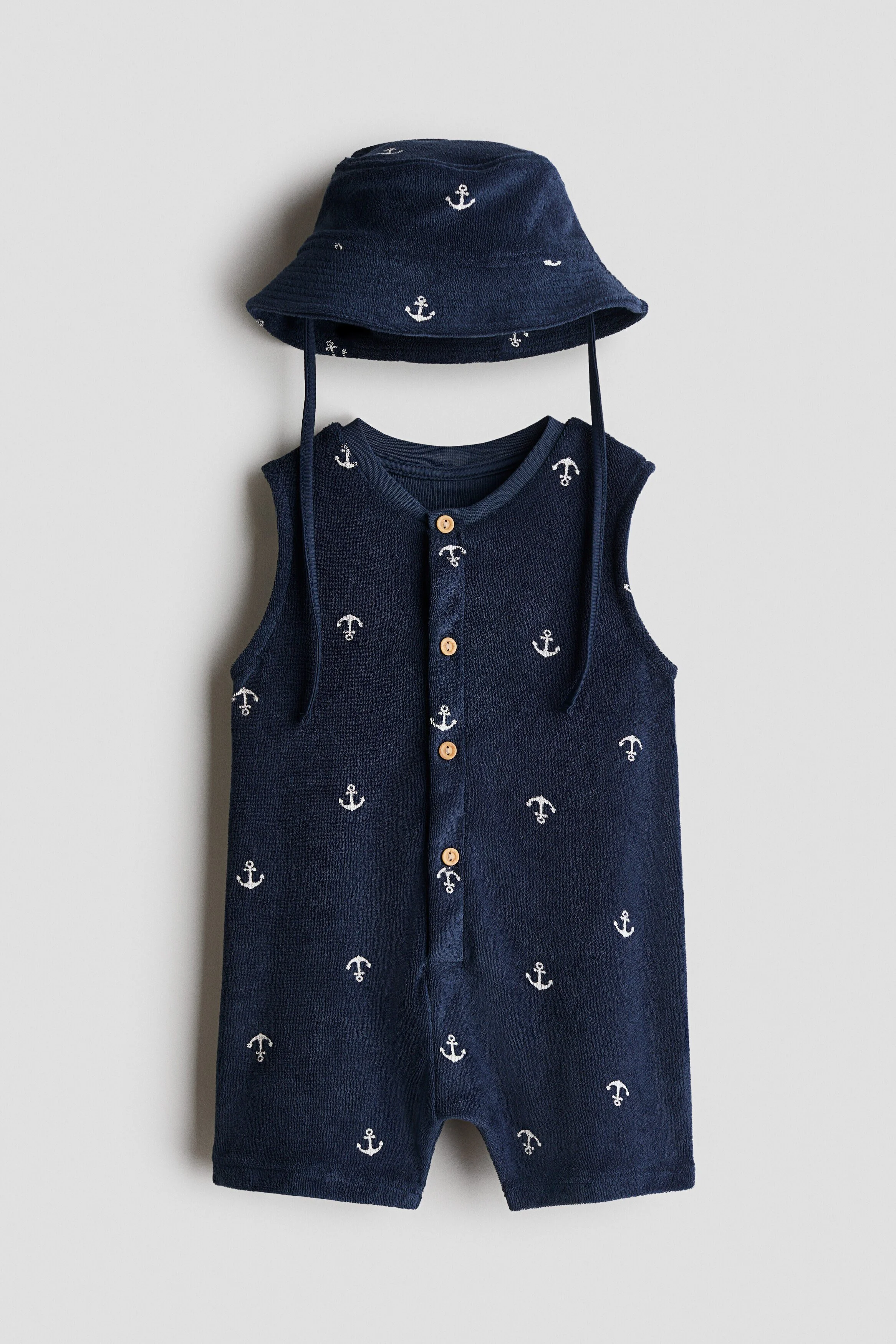
We didn’t just read reviews, we ran the same product photo (a navy anchor-print romper and bucket hat) through four tools ourselves, spending $0 total: Photoroom, Scalio, Whatmore and Flair AI.
Use the photo of a real product:
Hands-on comparison
Four tools. One product photo.
The same navy romper went through every test. We spent $0 and reviewed the actual outputs—not just the product claims.
| Tool | What we tried | What actually happened | Cost to us | Verdict |
|---|---|---|---|---|
| Photoroom | AI background generation on our product photo | Free, ~10 seconds, background textures looked genuinely good — but the garment floated with no hanger or body to explain its pose. Looks wrong at a glance. | $0 | Fine for a quick background swap you’ll still review before publishing. |
| Scalio | On-model toddler generation, prompted for “2 years old” | Produced a genuinely decent, natural-looking image for free in seconds, but the proportions read closer to 4-5 years old despite the explicit prompt | $0 | Good raw quality; can’t reliably hit a specific age. |
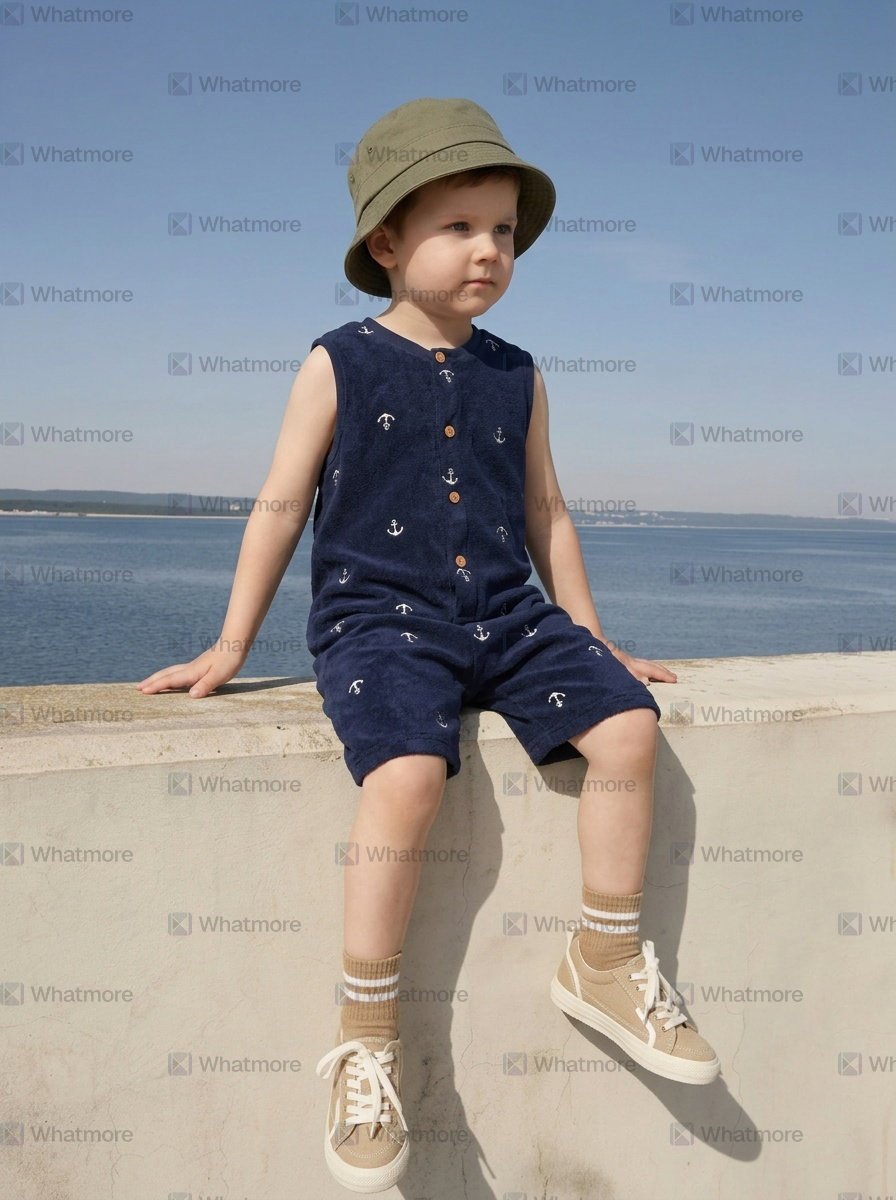
| Whatmore | On-model kids generation | Real age-range presets exist, but the youngest bracket offered is 4-6 years — no toddler or baby option in the product | $0 | Usable for older kids’ lines only. |
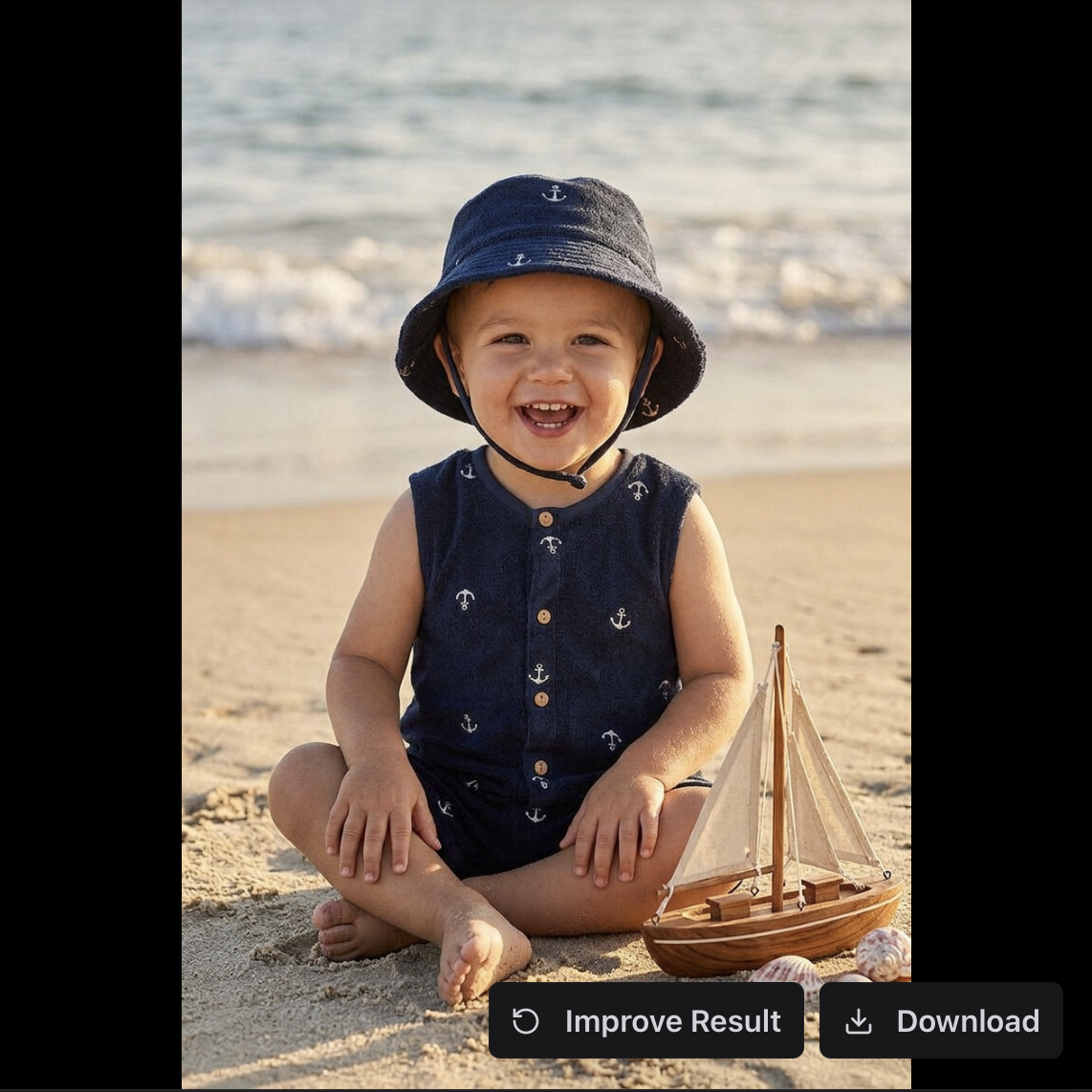
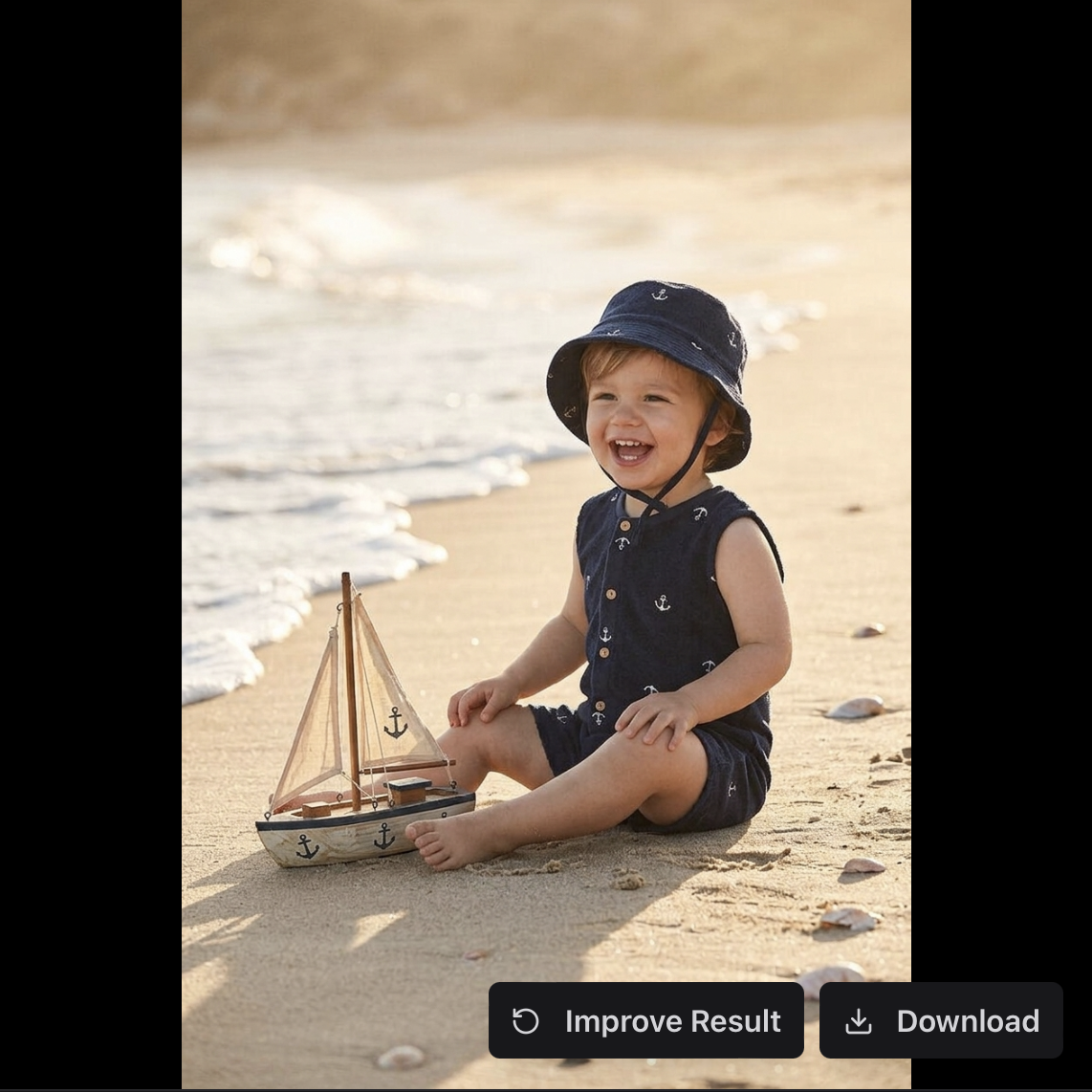
| Flair AI | Lifestyle scene generation, same romper | Genuinely strong image quality and natural styling — but a second image from the same “shoot” showed a visibly different child, no consistent identity across the set | $0 | Best single-image quality of everything we tried — and the clearest proof of the consistency problem. |
Screenshots from our own test run:
Test 01
Photoroom
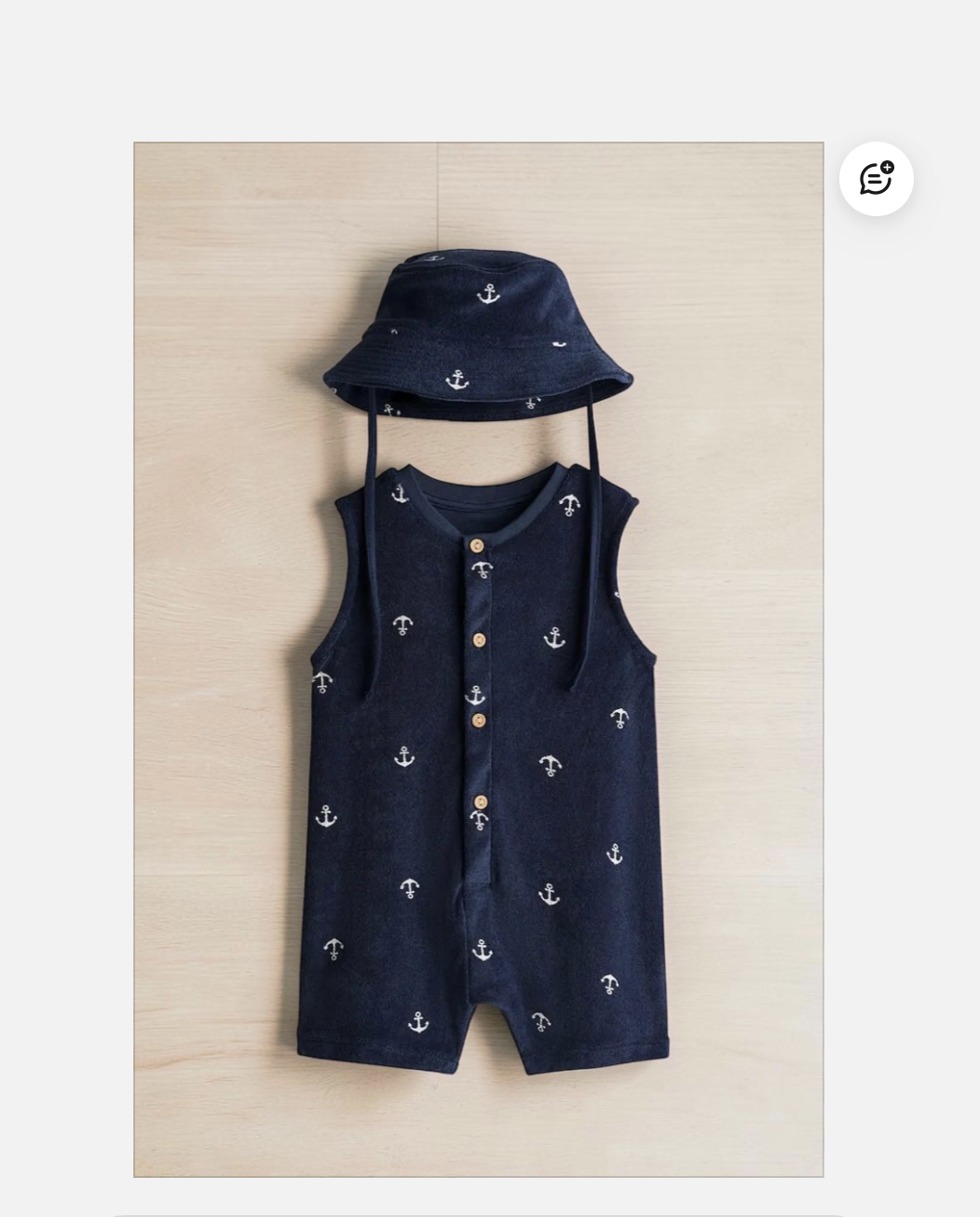
Photoroom’s background swap on the same romper — a clean, usable texture, but the garment floats with no body or hanger to explain its pose.


Test 02
Scalio
Scalio’s output for our navy anchor-print romper — a natural-looking toddler, but the proportions read closer to 4-5 years old than the “2 years old” we prompted for.
In the app
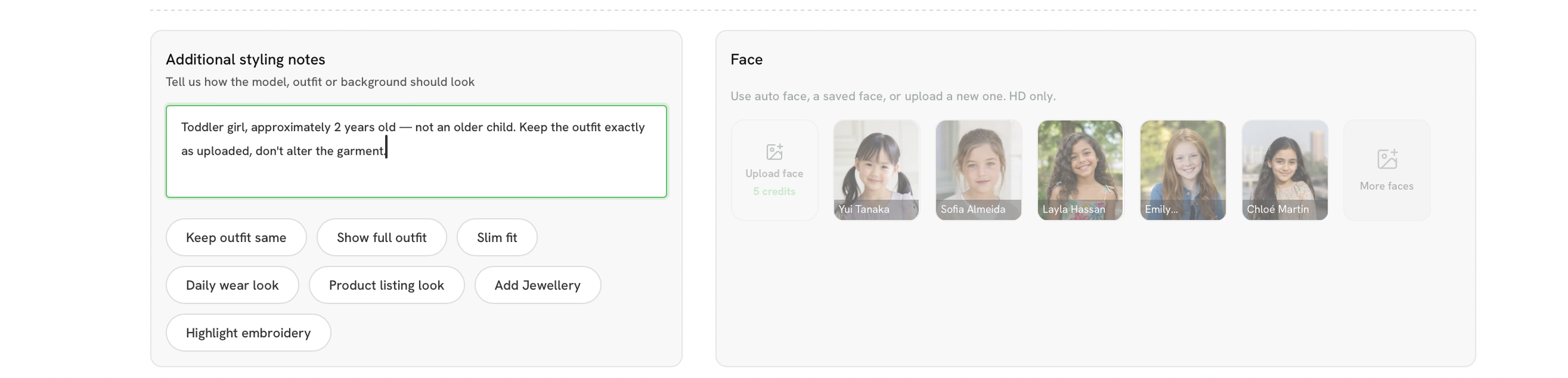
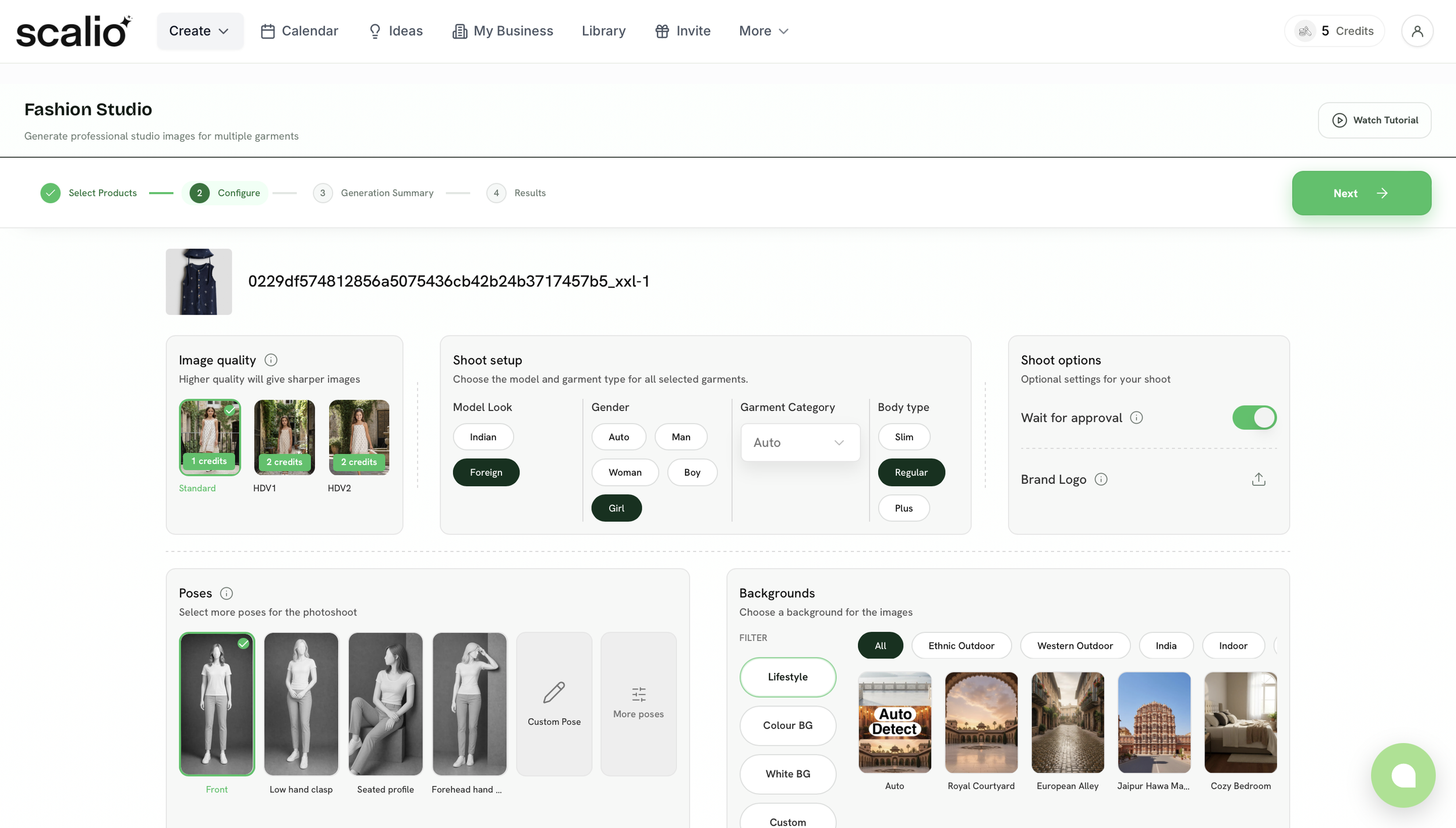
Generated result
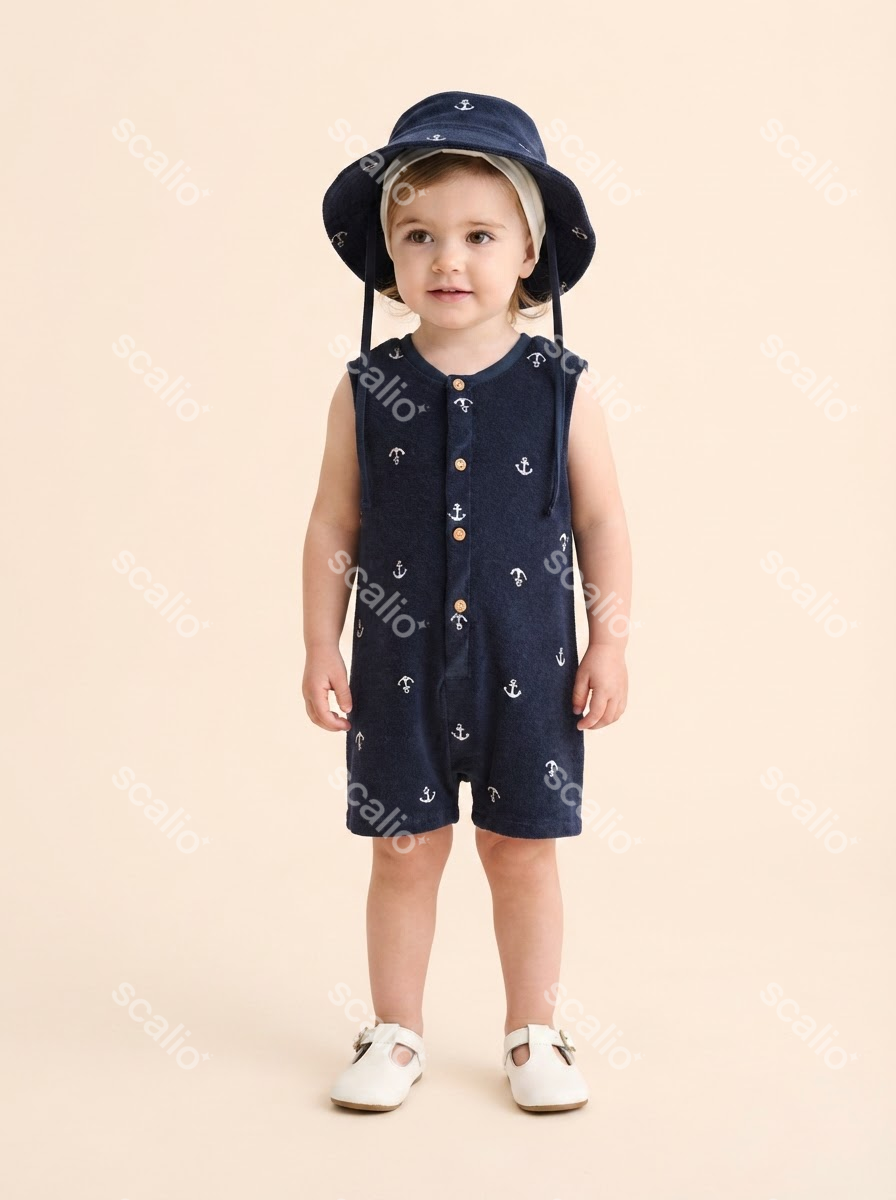
Test 03
Whatmore
Whatmore’s model-preset picker — the youngest bracket on offer is 4-6 years old. No toddler or baby option exists in the product. The romper was transferred well enough, but the headpiece failed to transfer. As you can see, the program generated its own version in a different shade.
In the app

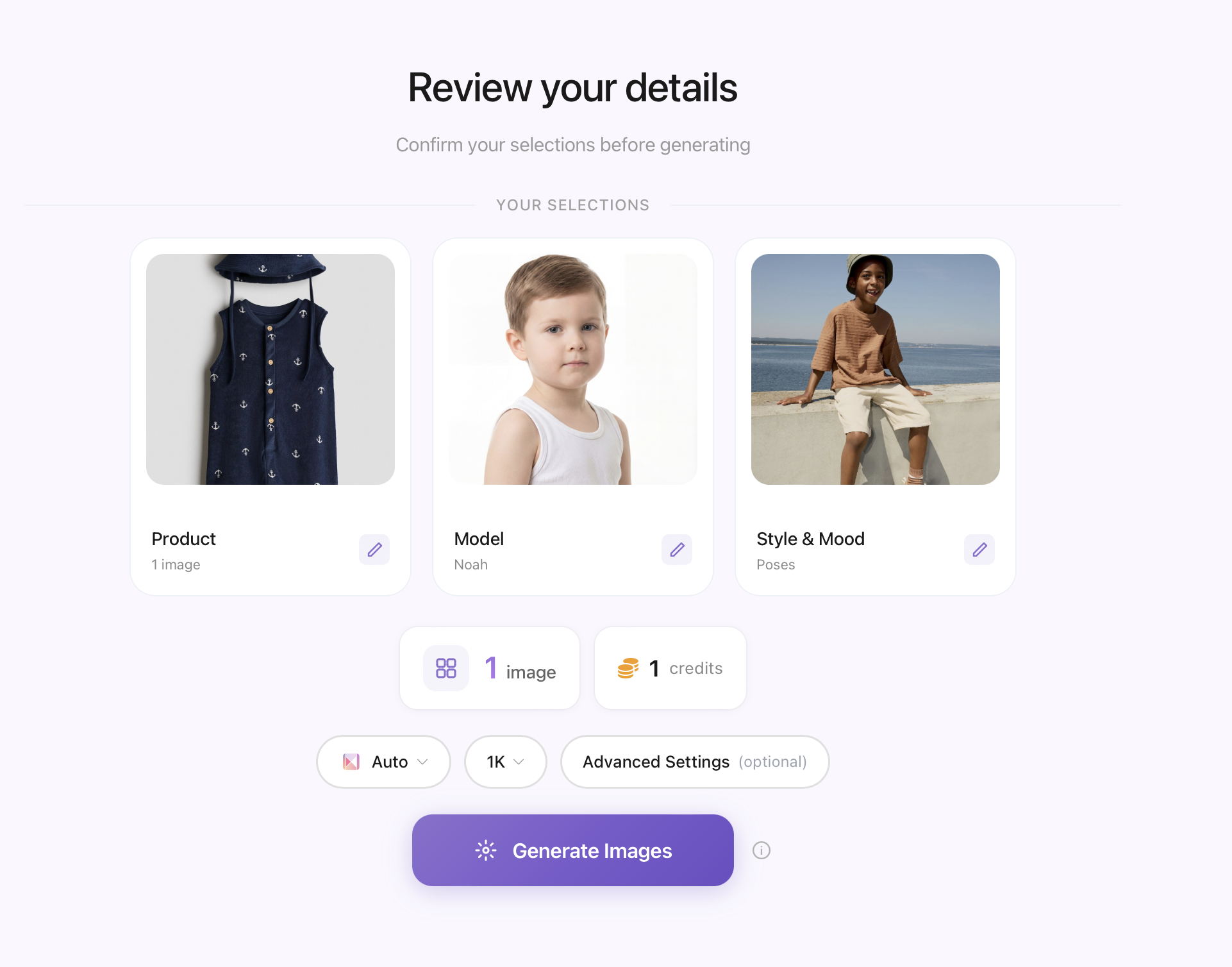
Generated result
Test 04
Flair AI
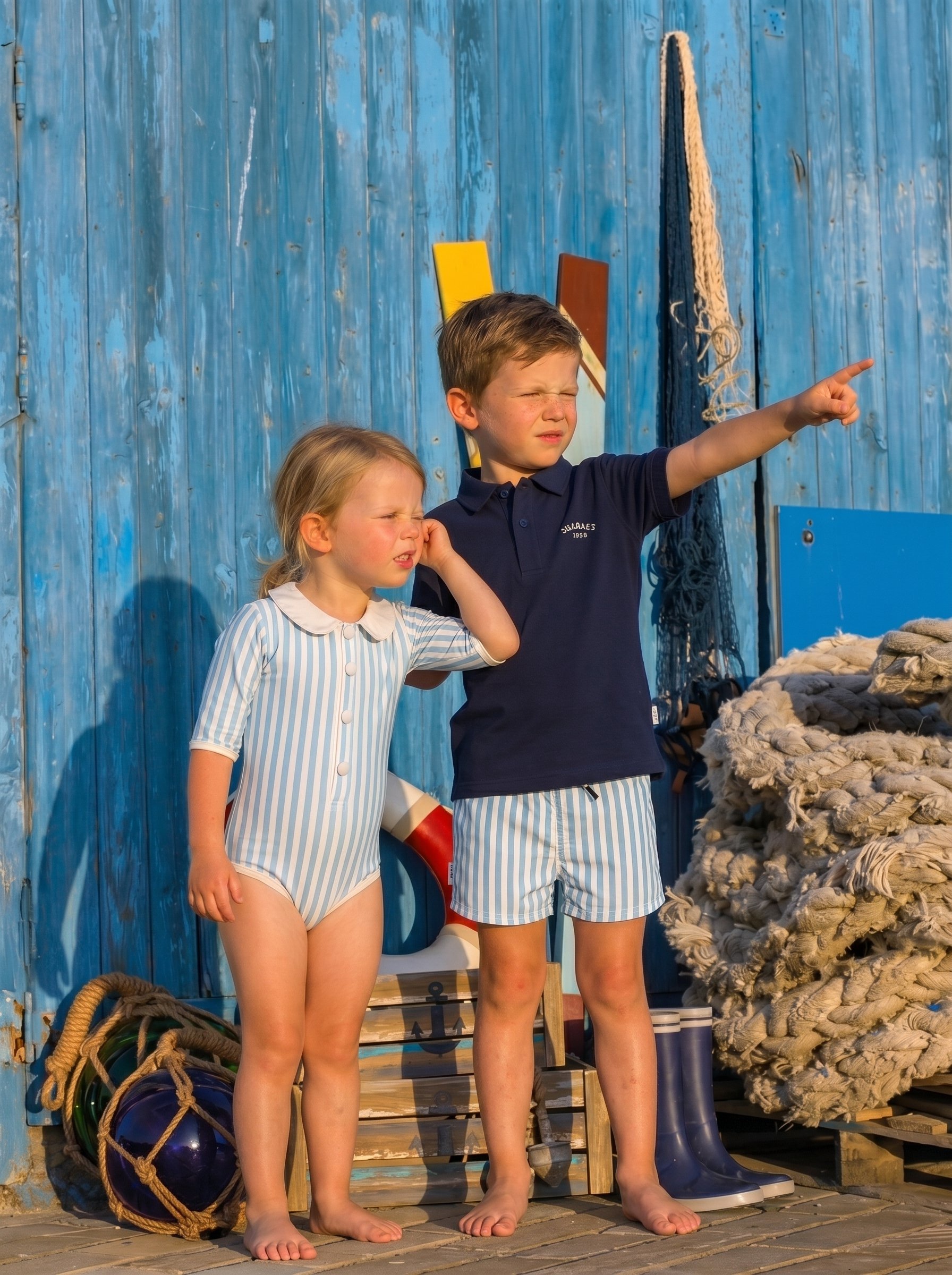
Flair AI, same “shoot,” same romper, but 2 generations apart — a visibly different child each time. This is the consistency problem in one frame.
Use a SaaS tool for this
These are the jobs self-serve AI photo tools are genuinely built for:
- Background swaps on product-only shots. A folded onesie, a stacked set of muslin swaddles, a toy on a shelf — no child, no pose, no anatomy to get wrong. This is squarely what these tools were designed for.
- Bulk catalog filler. You have 200 SKUs and need consistent white-background or lifestyle-adjacent shots fast. Speed and per-image cost win here, and a few imperfect results in a batch of 200 barely register.
- Early-stage testing. Before you commit budget to a real campaign, a SaaS tool can mock up what a lifestyle angle might look like, fast enough to test messaging before spending on production.
- Marketplace compliance shots. Amazon and Etsy have specific technical requirements (white background, specific crop, no props) that these tools handle well because it’s a narrow, well-defined task.
Don’t use one for this — and here’s why
- Anything with a child in the frame. This is where self-serve tools fall apart structurally, not occasionally. A pipeline with zero human review has no step where someone catches a wrong hand angle, an odd proportion, or a pose a real child wouldn’t hold — hands, joints, and proportions are AI image generation’s most consistently documented failure mode. Parents notice these errors faster than in almost any other product category — it’s the same uncanny-valley effect that makes AI-generated faces and hands read as “off” generally.
- Hero images, ads, and campaign visuals. These are the images doing the most selling — and self-serve tools apply a template, they don’t art-direct. Nobody is deciding that this particular campaign needs warmer light for a fall launch, or that the composition needs negative space for ad copy.
- Anything where product accuracy is the pitch. If your product’s exact stitching, fabric texture, or fit is what customers are paying for, a tool approximating your product from a reference photo — not verifying it — is a real risk. Reviewers of tools like Botika specifically call out distorted clothing details as a recurring complaint.
- Anything that needs a consistent “face” across a whole catalog or campaign. We saw this ourselves testing Flair AI on our own product: two images from the same “shoot,” same romper, and the child’s face was visibly different between them — different face shape, different hair. Self-serve tools regenerate a different AI model or scene interpretation every time — there’s no persistent character across your shoot the way a real (or dedicated synthetic) model gives you.

The pattern across our own tests, not just other people’s reviews: each tool does one narrow thing reasonably well — a background, a single on-model shot, a quick preview — and none of them hold up across a full, consistent series. That’s not a knock on any one tool. It’s what happens when software is built to answer one prompt at a time, with nobody checking whether image five still looks like the same brand as image one.
A single good image isn’t a series
Every tool above can produce one decent-looking image, some of them for free. None of them can promise that image five looks like it belongs next to image one — same child, same lighting logic, same brand feel — because that’s not what a single-prompt tool is built to do. A SaaS tool answers one request at a time, for one narrow task. A full product series — the kind that has to work across your whole catalog, not just one hero shot — needs someone tracking consistency across the whole set. That’s a job for a person directing the AI, not the AI running alone.
What to do instead, when it’s a no
If your answer above was “don’t use a SaaS tool,” the options aren’t just “expensive traditional shoot” or “nothing”:
- A human-directed AI studio. Same underlying generation technology, but a person briefs the shot, reviews every image, and can revise based on feedback — closing exactly the gap listed above. This is the category Novii is in.
- A hybrid approach. Use SaaS tools for bulk catalog and background work, and reserve human-directed generation (or a real shoot) for hero images, ads, and anything with a child in frame. Most established ecommerce teams already split their workflow this way.
- A traditional photoshoot, if budget and timeline allow — still the highest-control option, just the slowest and most expensive per image.
Why the stakes are higher for baby and kids brands specifically
Parents scrutinize kids’ photos harder than any other product category. A slightly-off candle photo gets a glance and a scroll past. A slightly-off photo of a child doesn’t — parents are actively checking whether the fit looks safe, whether the proportions look like a real baby, whether the pose reads as “off.” Stack that instinct on an already emotional purchase — buying for a child — and tolerance for “almost right” drops to near zero.
How Novii approaches this
- A human creative director shapes every Novii shoot from brief to delivery — picking angles, mood, and composition before generation, reviewing every image after.
- Product shape and detail are preserved exactly as submitted: your seams, your fabric, your proportions — not an AI approximation.
- Children in Novii images are fully synthetic, with realistic proportions and natural skin — directed to avoid the “plastic AI look” of template-driven tools.
- Your Brand Baby gives each brand one exclusive AI child model, used consistently across every shoot — not a generic model shared across a platform’s whole customer base.
- Clients keep creative control over pose, background, and mood throughout. Direction runs both ways.


The real cost of doing it piecemeal
Stitch this together yourself and here’s what you’re actually managing: one subscription for background swaps, a different tool (or a real casting call) for anything with a child in it, a separate revision process for each, and no guarantee the “face” of your brand looks the same from one tool to the next. Objectively, that stack is unstable — different interfaces, different quality ceilings, no single place accountable for whether the output looks like your brand.
What one relationship gets you instead:
- 1 consistent brand-exclusive child model across every shoot
- human review on every image before it reaches you
- product accuracy checked against your actual reference
- revisions when something’s not right — instead of a queue of regenerate buttons across three different subscriptions.
FAQ
Which AI product photography tool is best for baby and kids brands?
It depends on the shot. For background-only product shots with no child, Photoroom or Pebblely are reasonable, inexpensive choices. For on-model or lifestyle shots involving a child, self-serve tools carry structural risk — human-directed generation (or a real shoot) is the safer call.
Are AI product photography SaaS tools worth it for a small baby/kids brand?
Yes, for the jobs they’re built for: catalog volume, background swaps, quick tests. They’re not a substitute for art direction on the images that actually have to sell your brand.
How much does human-directed AI photography cost compared to a SaaS subscription?
SaaS tools run roughly $19-40/month for a few hundred images. Novii starts at $25/image with a human creative director involved — more per image, but built for the shots where that matters, not for bulk catalog filler.
Did you actually test these tools yourselves?
Yes — same product photo, four tools (Photoroom, Scalio, Whatmore, Flair AI), $0 spent. Full results are in the table above.
Sources
- Human-in-the-Loop vs Fully Automated AI: Finding the Right Balance
- Human-in-the-Loop AI: Why It Matters in the Era of GenAI — Tredence
- Botika AI Review: Tired of Distorted AI Clothes? — Style3D AI
- Creative Agencies Counter AI Disruption with Human Synergy in 2025 — WebProNews
- Why Do AI Generated Images Look Uncanny: A 2025 Guide — Davinci AI
- Why Can’t AI Draw Hands (and Other Human Features)? — Kapwing
- Photoroom AI Review 2026: Ecommerce Background Removal Tested — Rewarx
- Pebblely AI Review: Is It Useful For Ecommerce Product Photos? — Shotkit
- Pebblely Pricing Breakdown: Plans, Features & Value — Wizcommerce
- Top 10 Best AI Kids Fashion Photography Generators of 2026 — Rawshot.ai
